
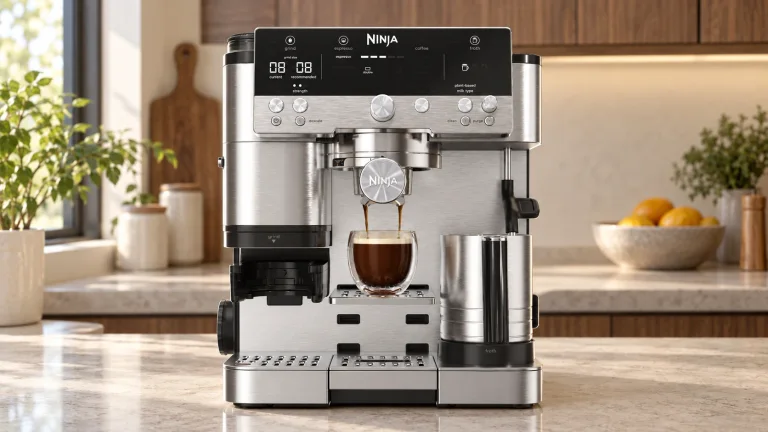
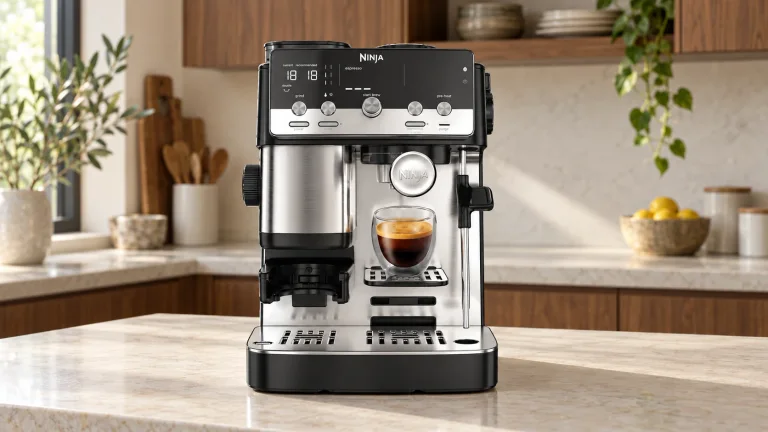
The short answer
Pay for the routine you want to repeat.
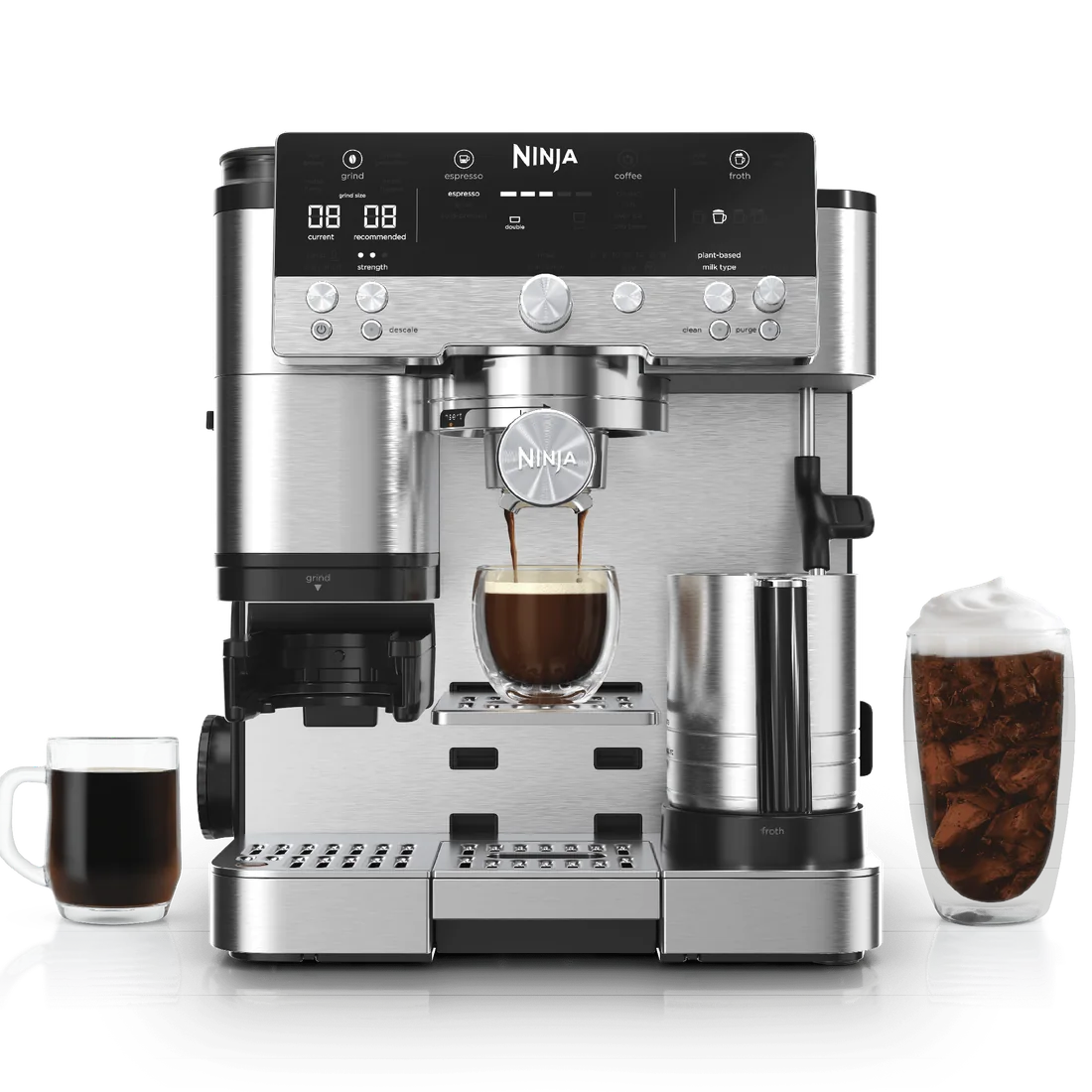
The Premier is the easier fit for a household that regularly makes milk drinks and wants less technique involved. Automatic hot frothing, cold foam, cold-brew modes and larger coffee sizes give it reasons to earn a higher price. If two people want different drinks before leaving the house, that broader menu is useful.
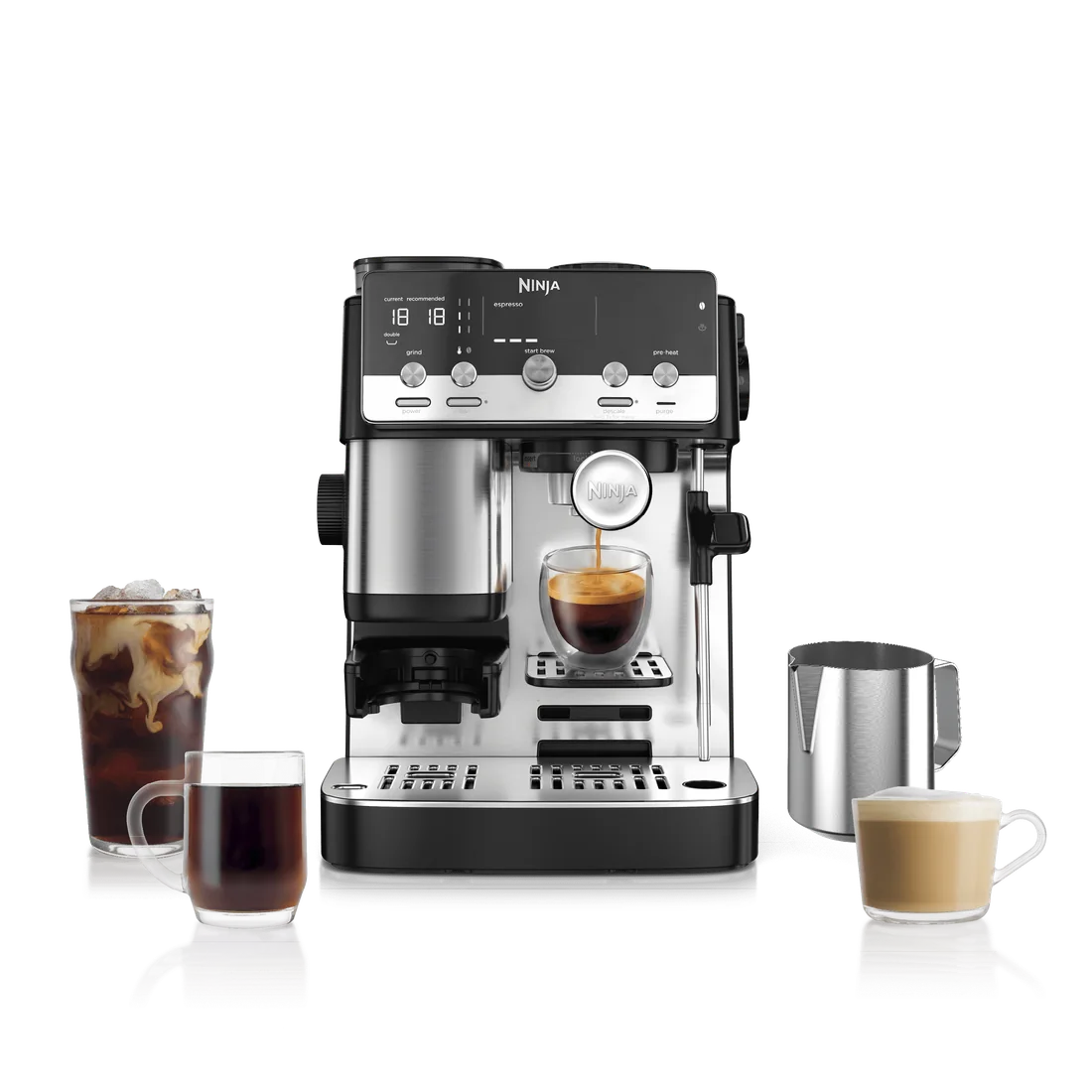
The Mini makes sense when manual steaming is part of the appeal. It keeps the guided grinding and dosing routine while offering espresso and hot or over-ice coffee. Its appeal is a simpler set of choices, not a promise that 60 grind settings will produce better espresso than 25.
Choose neither if you want a drink at one touch with no portafilter to handle, or a pot of coffee for several people at once. These machines still ask you to prepare the coffee, empty grounds and clean milk equipment. A good purchase is one whose daily jobs fit your habits.
At a small price gap, Premier’s milk system may be worth having. At a much wider gap, the Mini becomes more attractive if you would leave the extra programs unused. Use the calculator below with the prices available to you.
For the full controls, parts and accessory options, see our Premier review and Mini review.
The differences that matter
Features, with their everyday consequences.
These are the US manual-steam Mini and Premier configurations. The shared built-in scale does not remove the hands-on preparation steps.
| Decision point | PremierES601 | MiniES301 | What it means |
|---|---|---|---|
| Exact US model | ES601 Premier | ES301 Mini | Match this code before comparing a price, video or accessory. |
| Milk preparation | Four automatic presets: steamed, thin, thick and cold foam | Manual steam wand | Premier reduces milk technique; Mini asks you to hold and control the jug. |
| Espresso servings | Double or quad | Double or triple | Choose the serving you normally drink, not simply the largest number. |
| Hot / over-ice coffee sizes | 6–18 fl oz | 6–12 fl oz | Only Premier covers a 14–18 oz selection in one brew. |
| Cold-brew and cold-pressed espresso modes | Yes | No | An over-ice coffee setting is not the same as these extra modes. |
| Grind settings | 25 | 60 | More numbered settings do not establish better grind consistency. |
| Built-in weighing and assisted tamper | Yes | Yes | Both still need you to tamp, move and lock the portafilter. |
| Water reservoir | 70 fl oz | 47 fl oz | Premier holds more water; rinsing and steaming also consume it. |
| Dedicated hot-water function | No | No | Allow for a separate kettle if tea or hot-water top-ups matter. |
| US limited warranty | One year | One year | Keep the receipt and check the terms for your seller and region. |
Feature and care details follow the Premier product information, Mini product information and the official manuals linked below. Ninja’s published dimensions conflict, so use the counter-fit checklist below and confirm the exact model’s dimensions before ordering for a tight space.
Make it personal
Match the machine to your drinks and budget.
Start with the drinks you make most often. A feature you will use every morning is worth more than a longer menu you rarely touch.
Your drinks, your choice
Which Ninja fits your routine?
Choose the features you will use. This checks the two machines’ menus, not the quality of a future cup.
Both have an over-ice coffee setting. These are separate features.
Your feature fit
Answer all three questions to see which features fit your routine.
Put the price gap in context
What is the difference per month?
Enter the actual prices you are comparing, using the same basis for tax, shipping and included accessories.
Use a decimal point, without a dollar sign or commas.
Choose 1–600 whole months. This is an illustrative period, not a claim about machine lifespan.
Purchase-price difference only
Enter both prices and a number of months.
Formula: (Premier price − Mini price) ÷ months. It excludes financing, resale value, coffee, milk, energy, maintenance and repairs.
GRIND, DOSE & BREW
Espresso: similar help, different serving choices
Both machines weigh the coffee and suggest a grind setting. That guidance can help a first-time buyer, but neither is a one-button latte maker.
The Mini offers double and triple espresso; the Premier offers double and quad. A triple can suit someone who wants more coffee in one large milk drink. A quad is useful when you actually want that larger serving, but should not be a reason to spend more if you normally order a double.
More numbered positions do not prove that one grinder is more consistent or that its espresso tastes better. Choose between them on the features you will use, rather than treating the setting count as a quality score.
Start with the supplied baskets and tamper before buying upgrades. Your first decision is whether this guided routine appeals to you. If you want to change beans between nearly every drink, weigh the convenience of one integrated machine against the extra bean-changing routine. If you want to skip handling wet grounds altogether, neither is the right style of machine.
THE BIGGEST DAILY DIFFERENCE
Milk: automatic programs or a manual steam wand
The Premier is the stronger fit for someone who wants a hot latte most mornings with less milk technique to learn. Its Dual Froth system combines steaming and whisking, with steamed milk, thin froth, thick froth and cold foam programs. You still fill the jug, choose the setting, pour the milk and clean up afterward.
The US ES301 Mini uses a manual steam wand. You control the jug position and when to stop. That can be appealing if learning to texture milk is part of the reason you want an espresso machine. Our cappuccino guide explains how milk texture changes the finished drink. It is a less convincing saving if you already know that holding a pitcher and practicing steaming would put you off making the drink.
Do not confuse the ES301 with the ES351 Mini Plus AutoFroth. Ninja lists them separately: the Plus adds three automatic hot-milk programs. A review or video showing automatic milk on a “Mini” may be demonstrating that different model.
Making two lattes, one after the other
For each espresso, grind, tamp and brew. The difference comes when you prepare the milk:
Premier
Fill the jug with cold milk below its maximum line, seat it on the platform and select the milk type and froth program. Start frothing. Afterward, remove the jug, immediately wipe the wand and lower it for automatic purging.
Mini
Press PRE-HEAT and wait for the ready check mark. Hold the jug and steam manually. Turn the valve to BREW before removing the wand. Wipe it, lower it, then purge on STEAM for ten seconds and return to BREW.
Empty and wash the basket and portafilter, then dry the basket before the next brew. Clean the jug before preparing the next milk drink. Stay nearby throughout; keep clear of hot steam. See each model’s official guide for the complete sequence.
BUILD YOUR REAL MENU
Both make iced coffee; only the Premier adds cold brew
You do not need the Premier just because you drink iced lattes. Both machines brew espresso and offer an over-ice coffee setting. The Premier’s additional options are its cold-brew mode and cold-pressed espresso, plus automatic cold foam. Choose those because you want those preparations, rather than treating every cold drink as the same thing.
The useful test is to write down your usual week: double espresso, a morning latte, a mug of drip coffee, perhaps an iced drink. If that list covers your habits, the Mini’s menu may be enough. The Premier becomes more persuasive when cold foam, cold-brew-style drinks or larger coffee servings would be used regularly.
Ninja’s salted-caramel cold-foam recipe illustrates what the extra milk program does: it prepares the iced coffee separately, then uses the jug’s cold-foam setting for the topping. That is a distinct convenience, not a prerequisite for pouring espresso over milk and ice.
Neither US model has a dedicated hot-water function like the Luxe Café Pro. If Americanos or tea are a daily priority, account for a separate kettle and its counter space. Also remember that these are individual-drink systems: a bigger available serving does not replace a full batch brewer when several people want coffee together.
CHECK THE WORKING SPACE
Counter fit means more than the machine’s footprint
Ninja’s product and support pages give conflicting dimensions. Confirm the exact model and finish with the seller or maker before ordering for a tight space; do not rely on an assumed width saving just because one machine is called Mini.
The Mini’s smaller reservoir holds 47 fl oz against the Premier’s 70 fl oz. That matters for refill frequency, but the tank capacity is not the number of finished cups you will get: milk preparation, purging and rinsing also use water.
Before buying, check the whole routine:
- Front: leave room to insert and turn the portafilter, remove a full drip tray and put down a cup.
- Milk side: make sure you can comfortably place, hold and remove the jug.
- Above and behind: check how you will refill the beans and lift or refill the water reservoir.
- Beside the machine: reserve a dry spot for tamping and a place for used grounds.
Ninja’s safety instructions prohibit operating these machines under a wall cabinet or inside an appliance garage. Plan an open operating position, not merely somewhere the machine can be stored. If you would have to move it for every drink, consider whether the saved storage space is worth that daily inconvenience.
THE WORK AFTER THE DRINK
Cleaning: the Premier automates purging, not the whole cleanup
Follow the exact ES301 cleaning instructions, rather than a generic Luxe Café video. The two machines have different dishwasher-safe lists. In particular, do not assume that every removable component, or the metal portafilter, belongs in a dishwasher.
Both guides describe a cleaning-tablet cycle of roughly six minutes and a descaling cycle of roughly 90 minutes, followed by the specified rinsing. Cleaning removes coffee residue; descaling addresses mineral buildup. The prompts and your water conditions matter more than an invented universal monthly schedule.
This is an ownership choice as much as a specification. If you dislike washing a milk jug and handling grounds, automatic frothing will not remove that objection. If you enjoy the drinks and only want fewer tasks during preparation, the Premier’s milk automation can still be worthwhile.
SPEND ON WHAT YOU WILL USE
What comes in the box—and what ownership adds
Both packages include the working essentials: portafilter, Double and Luxe baskets, assisted tamper, funnel, milk jug and starter cleaning items. The Premier’s jug includes its whisk. Check the retailer’s exact bundle if it adds cups or a knock box; those extras do not change the machine’s core functions.
You do not need a separate grinder to start. Buy beans and the milk you actually like before building a drawer of aftermarket tools. A dedicated knock box can make grounds disposal tidier, but an advertised accessory bundle is not automatically better value than the machine alone.
Budget separately for cleaning consumables. As checked on October 12, Ninja lists its Premier-compatible cleaning supply kit at $34.99: two descaling packets, sixteen cleaning tablets and two water filters, with filter housing sold separately. ES301 is not in that kit’s published compatibility list, so do not assume it is the right Mini purchase.
For the Premier, the four-pack descaling product is listed at $14.99, or about $3.75 per packet before delivery and tax. That is a price example, not an annual allowance: use frequency, water and the required maintenance schedule determine what you spend.
Compare delivered machine prices on the same day, then add only extras you intend to buy. Both have a one-year limited US warranty; normal wear and required maintenance still matter. Avoid “pays for itself” calculations that assume every homemade drink replaces a café purchase.
RATINGS WITH CONTEXT
What the owner evidence adds
The Mini’s higher displayed star score does not establish that it is the better machine. The Premier has a much larger rating pool. These are global ratings shown on Amazon.com, not counts of US written reviews. The Premier pools colors; the Mini listing also offers Mini Plus, so the headline totals are not a controlled comparison of these two versions.
Premier: easier milk, still some learning
Owners liked: guided preparation and the milk programs.
Watch for: a learning curve, a firm portafilter lock and frequent drip-tray emptying.
Mini: compact convenience, manual work
Owners liked: the integrated grinder and compact setup.
Watch for: messy grounds transfer; one reviewer reported repeated grinder-related replacements.
Use these reports as a return-period checklist, not failure rates. Try your usual drink and largest cup, and check that every regular user can comfortably lock the handle. Neither this sample nor the star averages establish which machine will last longer.
Keep these handy
The official instructions for each machine.
Match the model on the rating label to the manual before following a cleaning cycle or buying replacement parts.
Premier · ES601
ES601 / ES600 series. Check the illustrations and included basket against your machine; some series instructions cover additional models.
Open official owner’s guide ↗Mini · ES301
ES301 manual-steam Mini. Use its own purge and cleaning directions; Mini Plus AutoFroth instructions differ.
Open official owner’s guide ↗Choose your routine
Check the exact model before buying.
We may earn a commission from purchases through shopping links.
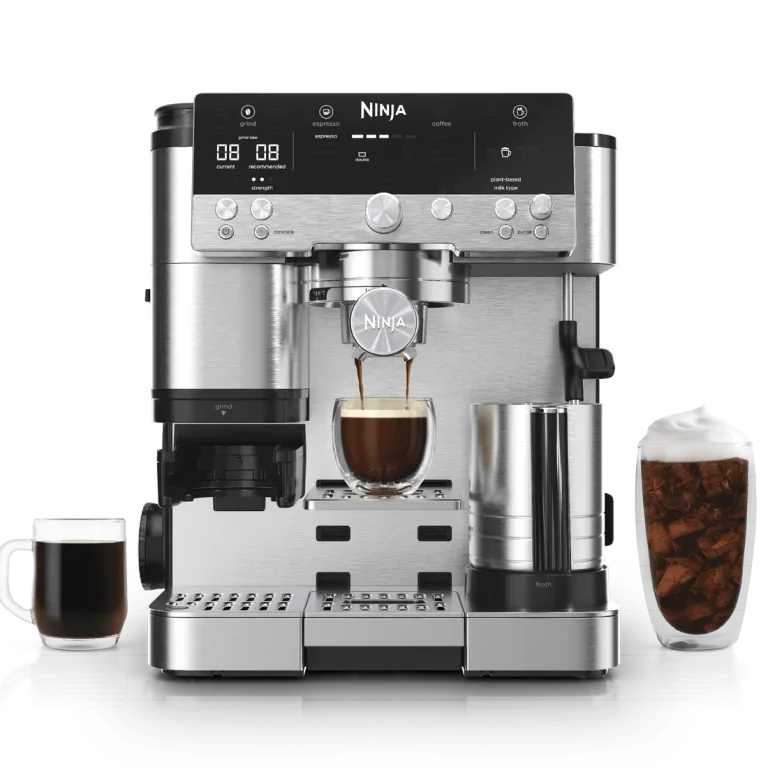
Premier ES601
The more useful feature set for regular automatic milk, cold foam and 14–18 oz coffees.
Check Premier at Amazon ↗Explore the full review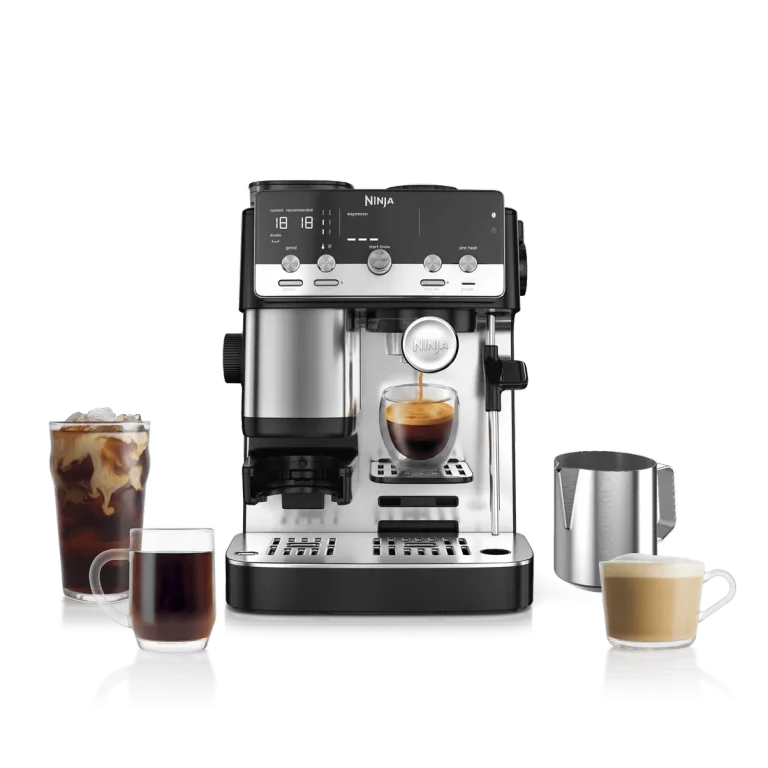
Mini ES301
A guided espresso-and-coffee setup with a manual wand. Check ES301 on the listing; ES351 is the Mini Plus.
Check Mini at Ninja ↗Explore the full reviewBefore you decide
Your comparison questions, answered.
Is the Premier worth the extra money for black coffee?
Only if you will use its added drink choices or larger servings. If your routine is espresso and a modest mug of hot coffee, much of the Premier’s premium buys milk automation you would leave idle. Compare the actual price gap before deciding.
Can the Mini make lattes and cappuccinos?
Yes. The ES301 supplies the espresso and a manual steam wand; you prepare and pour the milk. Choose it because that involvement suits you, not because a Mini Plus video has made you expect automatic frothing.
Does “60 grind settings” make the Mini better for espresso?
No such conclusion follows from the setting count. The more useful difference here is the routine and drink range each machine supports.
Does either US package include a single-shot basket?
The verified packages list Double and Luxe baskets. Do not borrow a single-shot specification from another region or a different Luxe Café model. If a small single espresso is essential, confirm that requirement before purchase.
Which would we choose for a household with mixed preferences?
The Premier if one person wants automatic hot milk and another wants cold foam or cold-brew modes. The Mini if both are happy with its espresso and coffee menu and at least one person wants to learn manual steaming. Make the decision around drinks you already enjoy, rather than features you might try once.