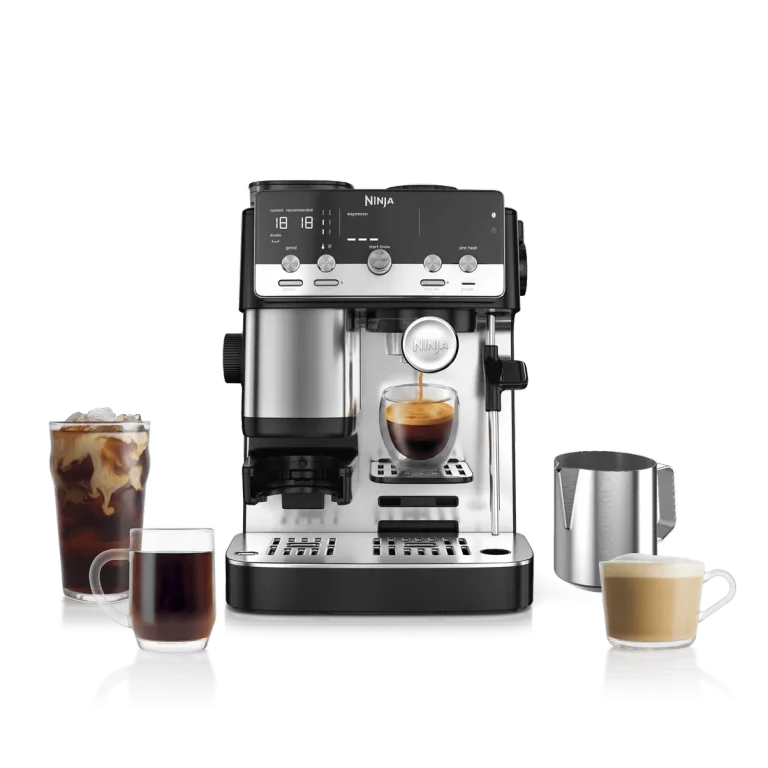
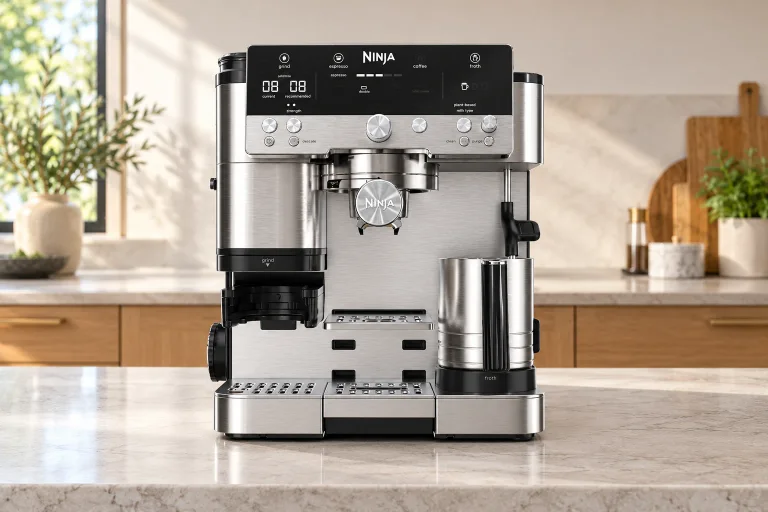
Who should choose the Premier?
The Ninja Luxe Café Premier ES601 suits a household that alternates between espresso, a larger coffee and iced drinks, and wants help with grinding and milk. Its built-in scale and grind recommendations remove some decisions, but you still move the portafilter, prepare the grounds and clean up. Think of it as a guided portafilter machine with a broad drinks menu.
Its strongest reason to buy is that combination. If you only brew a pot of black coffee, the basket changes and individual doses add work. If you enjoy choosing every espresso variable, its guided system may feel restrictive. Our hybrid coffee-maker guide covers those wider choices; this review focuses on living with the US stainless-steel ES601.
The basket and tamping table
Start with the drink, then fit the basket. The machine recognizes the basket in the grinding cradle and shows compatible choices. Set the style, size and strength before grinding: the dose belongs to that selection. The current US owner's guide makes an easily missed distinction between small and large coffee doses.
| Your drink | Basket | Prepare the grounds | Plan the cup |
|---|---|---|---|
| Double espresso, including cold-pressed | Double | Tamp with the assisted tamper and funnel. | The standard espresso preset is approximately 1.5 US fl oz. |
| Quad espresso, including cold-pressed | Luxe | Tamp with the funnel, remove it, then tamp once more. | The standard espresso preset is approximately 3.5 US fl oz. |
| 6–14 oz coffee selection | Luxe | Gently shake to level; do not apply the large-dose tamping step. | Leave serving space; use ice for an over-ice recipe. |
| 16 or 18 oz coffee selection | Luxe | Tamp as directed for these larger doses. | Check your vessel's usable capacity and clearance first. |
The espresso figures are Ninja's approximate standard-strength outputs, not measured results or a promise that every bean produces the same volume. The manual allows roughly 10% variation, and strength adjustments change the result. A quad isn't simply two identical doubles poured into one cup.
Keep the funnel on while grinding. Let the portafilter sit flat and fully back in the cradle without supporting its weight; the scale needs to tare correctly. If you've ground for the wrong drink, the manual's reset is to discard those grounds, switch the machine off and on, and choose again. Changing the screen after dosing won't turn an espresso puck into a properly dosed large coffee.
What Barista Assist does for you
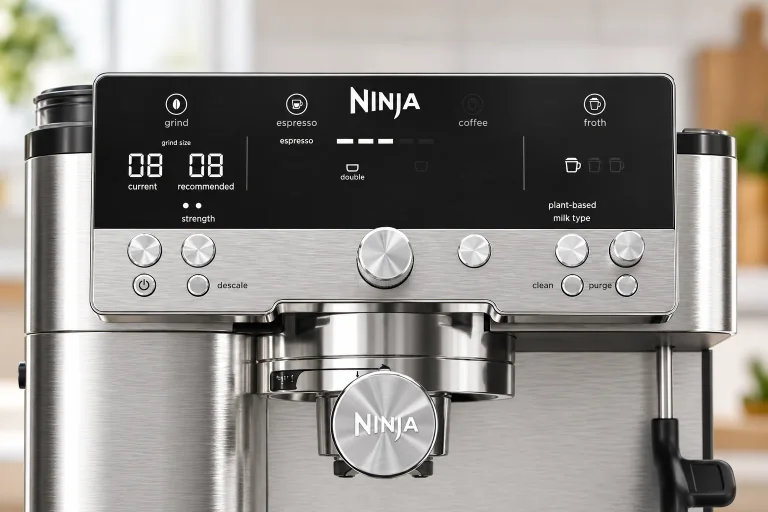
The grinder has 25 settings. The screen shows the current setting and its recommendation, but you turn the side dial to match them. The machine controls the dose and adjusts brewing. With new beans, Ninja says espresso recommendations may need two or three brews to settle.
 AI
AIThis is useful for someone who wants a starting point without buying a separate dosing scale. It doesn't eliminate the effects of beans, cleanliness or cup temperature. Use the recommended setting first. For espresso that remains bitter, the current guide suggests moving coarser; for sour espresso, finer. Judge the next preparation rather than assuming every unpleasant cup needs a completely different recipe.
Everyone shares the hopper. Switching to decaf means removing the remaining beans and clearing retained grounds using the manual's bean-change procedure. That's a poor fit for frequent alternating caffeine preferences, and it doesn't establish zero caffeine carryover. A machine with an occasional pre-ground bypass may be more convenient for that household.
A latte, then a mug of coffee
Put out both cups before you start. A latte followed by a larger coffee involves a basket change and a fresh dose, so leave space for the used parts.
| Stage | Action | Why it matters |
|---|---|---|
| Before starting | Check water, beans and tray space. Put out both cups and the appropriate baskets. | Milk purging also needs water and tray capacity. |
| First espresso | Fit Double, select the drink, match the grind recommendation, grind and tamp. Remove the funnel before locking into the brew head. | Selection determines the dose. |
| Milk | Fill the supplied jug between its marks with cold milk, select the milk type and froth style, then start frothing. | Starting it during brewing queues it to run afterward; the two processes aren't simultaneous. |
| Before the next drink | Wipe the wand with a damp cloth and lower it for purging. Wait for brewing to finish before removing the portafilter. | Milk residue hardens, and the portafilter must not be removed under pressure. |
| Second coffee | Empty, wash and dry the basket and portafilter. Fit Luxe, select the coffee size, grind, then level or tamp according to the table above. | A different basket and dose replace the previous espresso setup. |
For two milk drinks, also check the jug's remaining capacity and wash it when changing milk types. Shared equipment can retain milk residue; separate dietary preferences don't automatically mean an allergen-free preparation. Stay with the machine while it operates.
A closer look
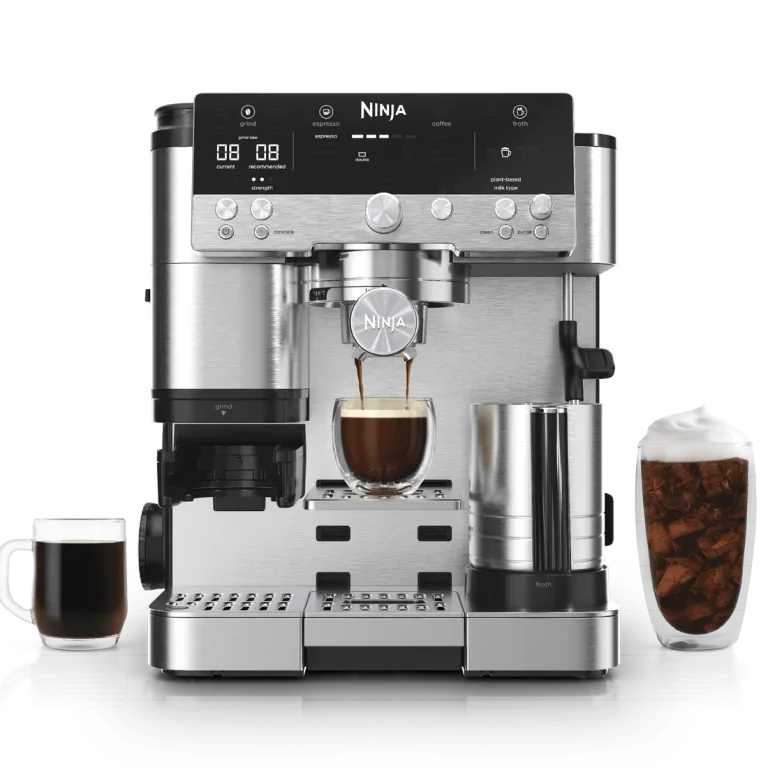
Details worth noticing.
Product detail views: SharkNinja
Milk, iced coffee and the limits of versatility
The ES601 product specification includes four froth programs: steamed milk, thin froth, thick froth and cold foam. The supplied jug combines a whisk with the steam wand. Use refrigerator-cold milk, keep the jug's underside and platform dry, and select dairy or plant-based as appropriate.
Automatic frothing removes the need to hold a pitcher at an angle throughout steaming. You still choose the milk and pour it afterward. Coconut milk, for example, is listed in the manual as unsuitable for stable froth. Barista-style plant milk is the more sensible starting point. Don't froth a finished coffee in the jug; prepare the milk separately.
 AI
AIOver-ice coffee and cold-pressed espresso serve different purposes. The over-ice recipe needs an ice-filled cup; the cold-pressed mode uses lower-temperature extraction. Neither turns the machine into a refrigerator. Ninja's salted-caramel iced-coffee recipe, for example, pairs the 10-ounce over-ice selection with an ice-filled 16-ounce cup before adding foam. That's a useful cup-planning example, not a universal finished-volume conversion.
After a hot drink, a cold selection may prompt a cooling rinse. Follow the screen with a separate receiving vessel before placing the intended drink cup. The Premier also lacks the Pro's independent hot-water function: plan a separate kettle if Americanos or tea are regular requests.
Counter access and what comes in the box
Use an open, stable counter with room to lift the hopper and water tank, move the portafilter between stations, and bring the tray forward. The US manual says not to operate it beneath a wall cabinet or inside an appliance garage. A shelf that just clears the machine's roof is therefore the wrong starting point.
Ninja's published dimensions conflict across listings, so confirm the exact unit if space is tight. Make a paper footprint from the dimensions the seller confirms, then rehearse the hand movements around it. Include a dry tamping spot beside the machine. Keep the main drip tray installed when checking your mug clearance.
The manufacturer lists the portafilter, Double and Luxe baskets, assisted tamper, funnel, milk jug, cleaning brush, cleaning disc, descaling powder and hardness test in the kit. You don't need to buy a separate grinder, tamper or scale to start. A cloth and somewhere to discard grounds are more useful early additions than an unverified aftermarket basket.
Cleaning jobs and ongoing costs
Run the initial setup and hardness test before regular use. Water hardness affects the descaling prompt, so copying somebody else's maintenance interval is less useful than entering your own result. Use the guide's startup flush and discard that water.
| When | What needs attention | What the automatic cycle doesn't replace |
|---|---|---|
| After brewing | Empty grounds, wash the basket and portafilter, then dry before the next grind. | Removing oils and grounds from the parts you handle. |
| After milk | Wipe the hot wand carefully with a damp cloth, lower it to purge, and wash the jug and whisk. | Washing milk residue off removable parts. |
| Regularly | Empty the tray before it overfills; brush the grinder at least weekly with daily use. | Unplug before removing grinder parts. Keep water out of the burrs. |
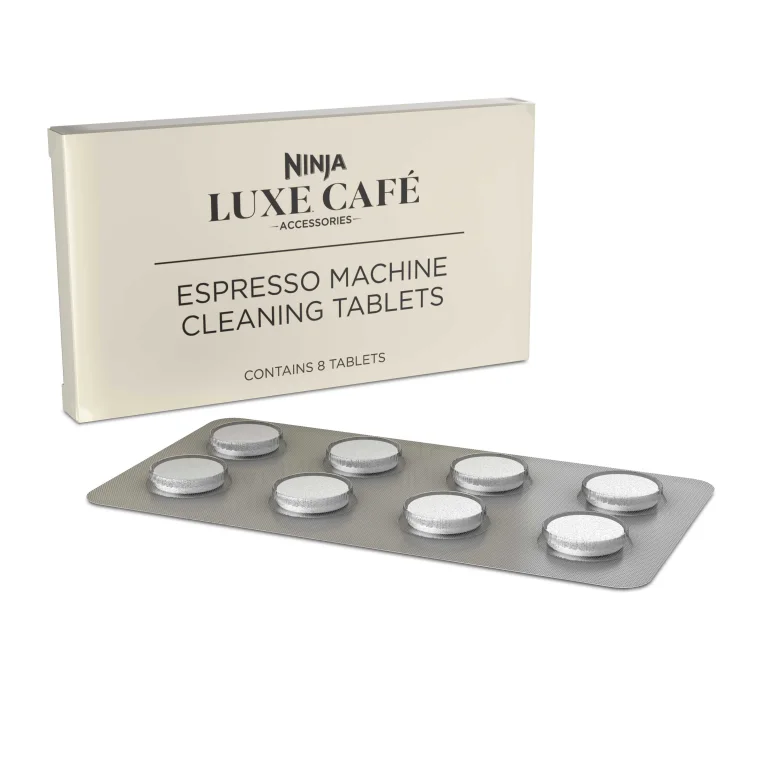
| CLEAN prompt | Use the cleaning disc and specified coffee-oil tablet; the cycle is about six minutes. | This removes coffee deposits, not mineral scale. |
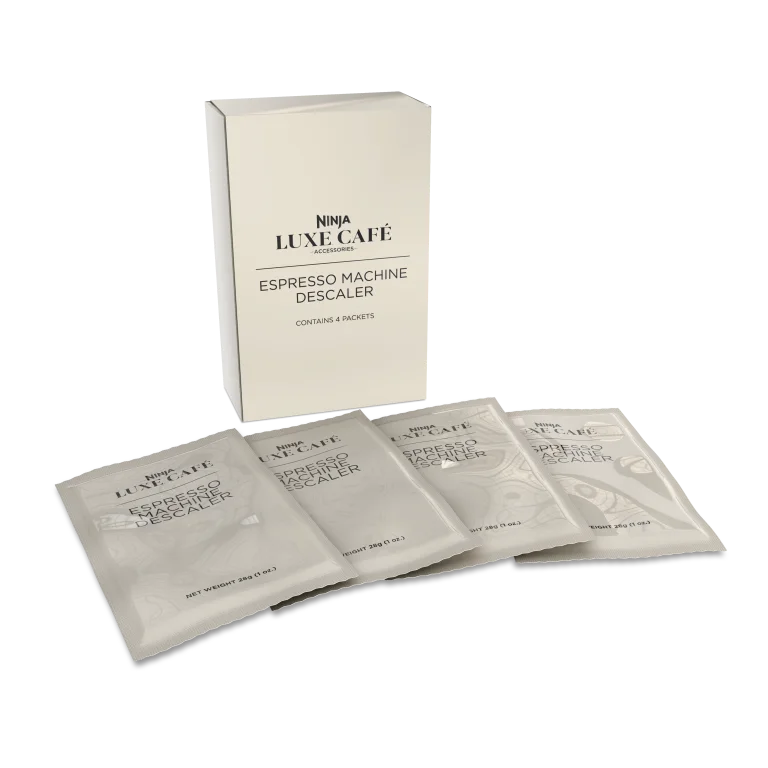
| DESCALE prompt | Use the specified descaler and complete the rinses. Allow about 90 minutes for the cycle. | A short cleaning-tablet cycle cannot substitute for descaling. |
Those cycle lengths come from the manual and exclude your preparation and washing time. Keep Ninja's XSKCLNTBL8PK oil-cleaning tablets distinct from XSKDSCLSOL4PK descaling powder. The tablet storefront heading confusingly says “descaling”; its model description and the manual identify the oil-cleaning job. Match the model code and cycle.
For budgeting, include beans, milk and both maintenance products. The calculator above lets you enter your own costs; don't treat a café-spending comparison as guaranteed savings. Oily or flavored beans can increase grinder residue, and more frequent brushing may be necessary. Our coffee-maker cleaning guide explains the difference between coffee deposits and mineral scale.
Troubleshooting: choose the next step by the symptom
The following checks come from the US manual. An error code, persistent leak or repeated failure after the listed check calls for Ninja support, not repeated brewing attempts.
| Symptom | Distinction to check | Next action and what to watch |
|---|---|---|
| Coffee choices are missing | Double basket selected versus Luxe not being detected | Fit Luxe and seat the portafilter flat, fully back in the cradle. Check whether the coffee choices appear; contact support if detection still fails. |
| ADD BEANS with beans present | Little ground coffee emerging versus an empty hopper | Switch off, unplug and brush the grind chute as the guide directs. Reassemble and check whether normal dosing returns. Persistent failure needs service. |
| No coffee flows | ADD WATER versus a full, seated reservoir and a very fine grind | For ADD WATER, refill or reseat the tank and resume as directed. If water is present, let the cycle finish safely; try the recommended grind on a fresh dose and observe flow. |
| The first hot espresso feels cool | Cold cup and brew path versus a cold-pressed selection | Use the manual's water-only preheat through Double into the cup. Discard the water and dry the basket before grinding; compare the next hot espresso. |
| INSTALL JUG remains on | Jug detection versus the wrong foam program | Clean and dry the jug bottom and platform, then reseat. Check that detection returns before adjusting froth settings. |
| Water appears around the portafilter | Grounds on the sealing rim versus water under the machine | Stop, let pressure release and parts cool, then clean the rim and lock correctly. Watch the next brew; recurring leakage needs support. |
Questions before you buy
Can I use it without a separate coffee scale?
Yes. Its built-in scale doses whole beans for the chosen drink. Fit the correct basket, set the recipe and let the cradle weigh freely. There's no need to replace that workflow with an approximate spoon conversion.
Would the Mini or Pro be a better fit?
The Mini ES301 comparison is the useful next stop if you'd accept manual frothing and don't need Premier's cold-drink range. The Pro adds independent hot water and an integrated tamper. Pay for those tasks if you will use them; neither a slightly higher star score nor an extra drink mode proves greater reliability.
What should I check when ordering?
Match ES601, stainless steel and the US electrical specification. Check the seller, condition and return terms, especially for renewed units. Ninja's guide specifies a one-year limited warranty for eligible authorized-retailer purchases. Keep the receipt. The owner reports below include both happy long-term users and failures, so easy setup should not be mistaken for a durability guarantee.